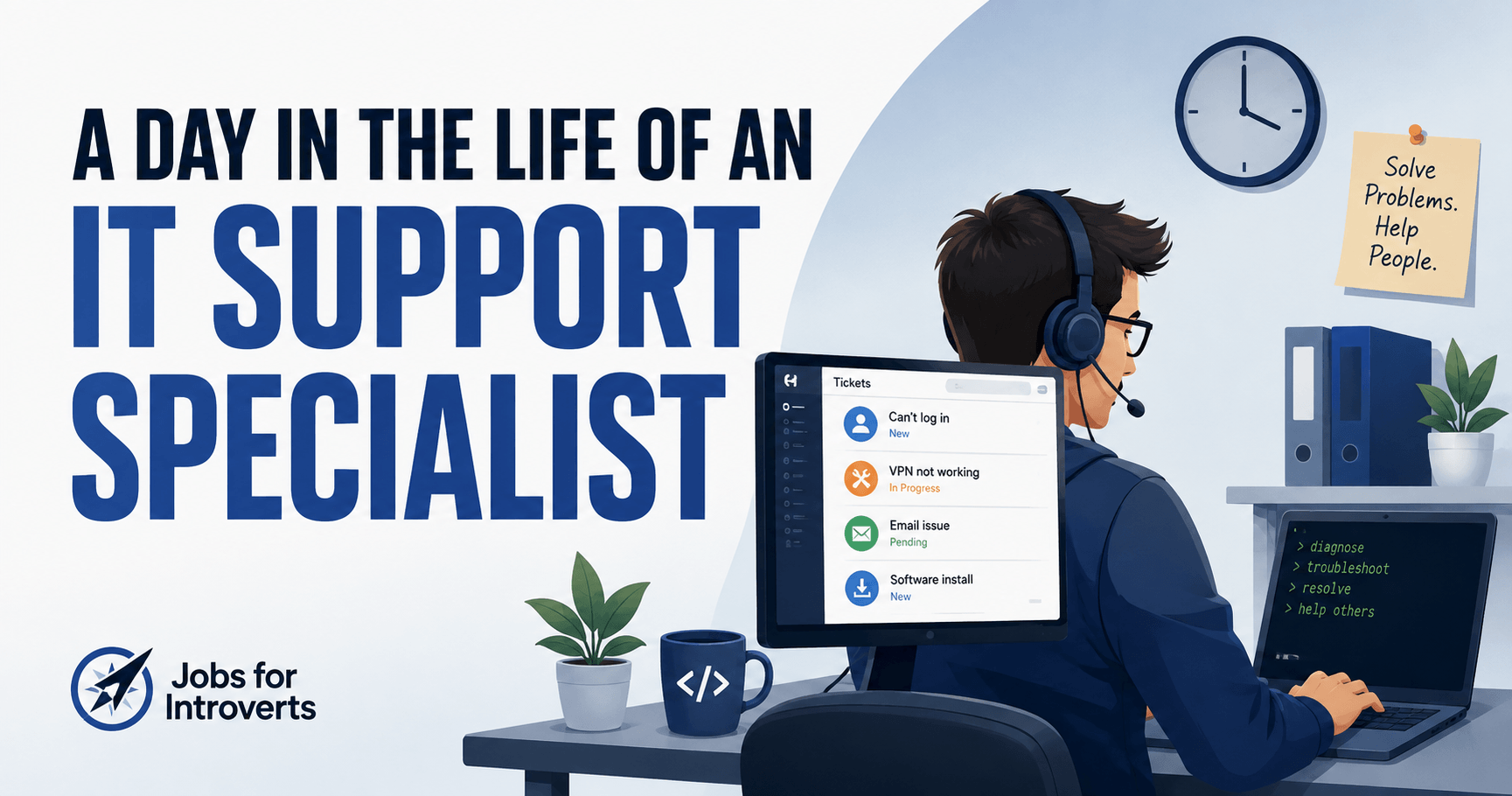
A Day in the Life of an IT Support Specialist: What the Job Is Really Like
A day in the life of an IT support specialist usually revolves around one thing: solving other people’s technology problems. You might start with a queue of open tickets, then spend the day troubleshooting computers, fixing access issues, setting up equipment, documenting solutions, and responding to new requests.
But IT support isn’t necessarily quiet or predictable. Calls, chats, walk-up requests, and urgent problems can interrupt whatever you planned to work on. And two people with the same job title can have completely different workdays depending on the company.
That’s what makes the work environment worth understanding before you choose the career.
This article focuses mainly on user-facing IT support roles, including help desk, desktop support, and similar positions where you troubleshoot technology problems for employees or customers. Other IT careers, such as systems administration, cybersecurity, network engineering, or infrastructure, can have very different daily routines and interaction demands.
What Does an IT Support Specialist Actually Do?
IT support specialists help people when their computers, software, accounts, or other technology aren’t working as expected.
O*NET includes IT Support Specialist, Help Desk Technician, and Desktop Support Technician among titles associated with computer user support specialists. Their work can include setting up employee equipment, diagnosing problems, answering questions, installing hardware or software, documenting fixes, and escalating larger problems.
The U.S. Bureau of Labor Statistics describes similar duties, including:
- diagnosing computer problems
- documenting what users are experiencing
- guiding users through troubleshooting steps
- setting up or repairing equipment
- installing hardware and software
- training users
- reporting recurring or serious problems to the team
Support may happen face-to-face, over the phone, through chat, or by email.
So while this is a technical job, the technology is only half of the equation. Someone usually needs your help because that technology isn’t working.
A Realistic Day in the Life of an IT Support Specialist
There isn’t one universal IT support schedule.
Firsthand accounts range from workers with fairly relaxed internal-support jobs to people dealing with constant tickets, calls, projects, and interruptions.
A more useful way to understand the workday is to divide it into three parts.
1. The Work Already Waiting for You
Many support workers begin by checking what happened before they logged in.
That could mean:
- reviewing unresolved tickets
- checking email or team messages
- looking for urgent requests
- following up on yesterday’s problems
- checking the day’s calendar
- deciding which issues need attention first
In one firsthand account reviewed for this article, an IT support specialist described starting with a ticket queue that could contain 10, 20, or 30 requests. How many he actually completed depended on what users needed and how difficult each problem was.
Another IT support worker described starting the day by checking Slack, email, a calendar, and ServiceNow before moving into access requests and other support work.
That is more realistic than assuming every day begins with the same task at the same time.
2. The Problems You’re Trying to Solve
Once the day gets moving, much of your time may go toward troubleshooting.
A user may be unable to log in. Someone’s software might stop working. A laptop may need to be configured. An employee could need access to an application. A printer, network connection, or peripheral might suddenly fail.
Some problems take a few minutes. Others require research, testing, or help from someone with more experience.
A CompTIA profile of a Tier 1 help desk specialist describes calls and chats involving password resets, how-to questions, installations, break/fix issues, and problems that eventually need to be escalated.
There can also be more structured work when the support queue allows it, such as:
- preparing devices for employees
- installing or updating software
- maintaining documentation
- working on migrations or other projects
- checking systems
- learning unfamiliar technology
One IT support specialist in the firsthand material described a job that included tickets, larger projects, office work, some work from home, and travel to other company locations.
So IT support isn’t necessarily eight hours of closing tickets.
3. The Work That Wasn’t on Your Schedule
This is one of the most important parts of the job to understand.
You may be halfway through one problem when:
- a new high-priority ticket arrives
- somebody sends you a chat
- a user calls
- an employee walks over to your desk
- an important system stops working
- a manager needs something fixed quickly
One specialist described exactly this pattern: even while handling existing work, new tickets could arrive or someone could walk up with a device or access problem that needed attention.
Your day is often a combination of planned work, queued work, and interruptions.

How those three are balanced can matter more to your job satisfaction than the title itself.
There Isn’t One Typical IT Support Job
One of the clearest patterns across firsthand experiences is how much the employer changes the job.
Daily work can depend on the company, team structure, support model, number of users, and exact responsibilities.
Consider how differently the same general IT support title can work across four environments:
| Work environment | Typical interaction | Phone/contact intensity | Interruptions | Predictability | Autonomy and project time |
|---|---|---|---|---|---|
| Internal company IT | Employees you may support repeatedly | Varies; often a mix of tickets, chat, in-person help, and calls | Moderate; walk-ups and internal requests can interrupt planned work | Moderate | Can include project or maintenance time when support demand is manageable |
| High-volume help desk | Employees or customers needing immediate assistance | Often higher, especially when calls or live chat are central | High when new requests arrive continuously | Lower | Work may be driven heavily by the queue and response expectations |
| Managed service provider or client support | Users across multiple client companies | Varies by employer and client | Potentially high because several client environments compete for attention | Lower to moderate | More technical variety, but frequent context switching may reduce control over the day |
| Small-company IT | Coworkers across many parts of one organization | Often mixed between direct requests, tickets, chat, and in-person support | Varies widely | Moderate | Potentially more freedom to handle projects and systems work, but fewer specialists may be available when you need help |
These aren’t fixed rules. The point is to identify which conditions actually shape your day.
Two IT support specialists can have the same title while experiencing very different levels of phone work, interruptions, independence, and control over their schedule.
Never evaluate an IT support position based on the title alone.
Not Sure Which Career Fits You?
Answer 7 questions to narrow your options based on your work style, preferred environment, and daily work preferences.
How Much of IT Support Is Actually Dealing With People?
More than the stereotype of a solitary computer job suggests.
The Bureau of Labor Statistics says computer user support specialists may respond to users in person and through phone, online chat, and email. It also identifies communication, listening, and customer-service skills as important because support workers need to understand problems and explain solutions clearly.
O*NET’s work-context data also shows that face-to-face discussion and teamwork are meaningful parts of the occupation.
The important question isn’t simply:
“Do I have to talk to people?”
It’s what kind of interaction you prefer.
A lot of IT support communication has a clear purpose:
Something is broken → understand the problem → explain what you’re doing → fix it.
For some introverts, that may feel very different from sales, networking, public speaking, or constant social small talk.
But if frequent interruptions, phone calls, or frustrated users are especially draining for you, the technical nature of the job won’t make those demands disappear.
One IT support specialist in the firsthand material described people skills as an important part of help desk work.
What Happens When You Don’t Know How to Fix Something?
You aren’t expected to magically know every answer.
Real support work often looks more like:
Ask questions → investigate → test → search documentation → ask a teammate → escalate if necessary → document what worked

A Tier 1 specialist profiled by CompTIA described finding that real-world support work was different from training and relying on documentation, coworkers, and continued learning while becoming familiar with new systems.
That matters if you’re considering IT but worry that everyone else already knows more than you.
Problem-solving is part of the job precisely because the solution isn’t always obvious.
Useful abilities include:
- asking good troubleshooting questions
- staying calm when the first fix doesn’t work
- researching unfamiliar problems
- explaining what you found
- knowing when to ask for help
- recognizing when something needs to be escalated
Those can be more realistic entry-level expectations than knowing every possible system on day one.
What Makes IT Support Stressful?
IT support isn’t automatically high stress. It isn’t automatically low stress either.
The job becomes more demanding when several factors pile up at once:
- a large ticket queue
- constant interruptions
- frustrated users
- phone-heavy support
- strict response expectations
- urgent outages
- unclear problems
- several issues competing for attention
- little help when you need to escalate
- after-hours support
Firsthand discussions show substantial differences between workplaces. Some workers describe long stretches of manageable work or downtime. Others describe reactive environments with tickets, meetings, calls, and competing demands.
The team around you matters too.
A reasonable workload can give you time to troubleshoot carefully. A clear escalation path gives you somewhere to turn when a problem is beyond your level. A more chaotic environment can make the same technical work feel completely different.
This is why asking “Is IT support stressful?” isn’t enough.
Ask:
What creates the stress in this particular IT support job?
Can IT Support Specialists Work From Home?
Some can.
The Bureau of Labor Statistics says some computer support specialists can telework, while other positions require workers to be onsite or travel to client locations.
The firsthand experiences reviewed for this article reflect that range. One specialist described dividing time between home, the office, and travel, while another supported users both physically in an office and remotely through tickets, screen sharing, and messaging tools.
But remote work doesn’t necessarily mean less interaction.
The conversation may simply move from someone’s desk to:
- Slack or Teams
- a ticketing system
- phone calls
- Zoom
- remote screen sharing
So if you’re interested in remote work because you want more focused time, investigate how support requests reach you, not just where you’ll be sitting.
A remote role built around nonstop calls may feel more socially demanding than an onsite internal IT job with a manageable ticket queue.
Is IT Support a Good Career for Introverts?
It can be, but the better question is which IT support environment fits you.
A role with organized tickets, manageable one-on-one interaction, and some independent troubleshooting may feel very different from a position built around nonstop calls, walk-ups, and urgent requests.
Being introverted doesn’t mean you can’t communicate well or don’t like working with people. The better fit question is whether the type and frequency of interaction works for you.
IT support may fit you if:
- you enjoy solving specific problems
- you like learning how systems work
- one-on-one interaction feels easier than large-group interaction
- you don’t mind explaining technical information
- you can remain patient with frustrated users
- some unpredictability keeps work interesting
- you like having a concrete problem to solve
Look more carefully at the environment if:
- frequent interruptions make it difficult for you to regain focus
- you strongly dislike phone-based work
- customer-service situations drain you
- you want long blocks of uninterrupted independent work
- constantly changing priorities frustrate you
- you need a highly predictable routine

How to Use This Fit Check
Don’t count every bullet equally.
Instead, identify the two or three work conditions that affect you most.
For example:
- If phone calls are the main concern, find out how much support happens by phone versus tickets or chat.
- If interruptions drain you, ask how often technicians handle walk-ups or urgent requests outside the normal queue.
- If you want independent problem-solving, ask how much time technicians spend troubleshooting or working on projects versus continuously responding to users.
- If you value predictability, investigate ticket volume, on-call expectations, and how often priorities change during a normal shift.
If several of your biggest concerns match the way a particular team operates, that may be a poor-fit job environment even if you still like IT support as a career.
An introvert could dislike a busy call-center support role and enjoy internal IT for a smaller company.
Another introvert might prefer a clear queue of incoming problems and have no issue with phone calls.
The job title isn’t enough information.
If you’re comparing IT support with other careers based on how you actually like to work, the Career Fit Quiz can help you think through factors such as interaction, independence, and work environment instead of relying on the job title alone.
How to Tell What an IT Support Job Will Really Be Like
Before accepting an IT support position, use the interview to investigate the work environment.
Ask questions like:
- How do support requests normally come in? Tickets, phone, chat, or walk-ups?
- Who am I supporting? Employees, consumers, or business clients?
- Roughly what does a normal ticket load look like for this team?
- How much of the position involves phone support?
- Is there a Tier 2 or escalation team when I can’t resolve something?
- How often do urgent issues interrupt normal work?
- Does the team have response-time or ticket-volume targets?
- How much time is available for projects, documentation, or learning?
- Is there an on-call rotation?
- Are nights or weekends ever required?
- What parts of the job require being onsite?
You don’t need one perfect answer.
You’re looking for a pattern.
If you want predictable work with moderate one-on-one interaction, a role with an organized ticket system and clear escalation process may sound attractive.
If the hiring manager describes nonstop calls, constant walk-ups, and shifting priorities, believe that description even if the job posting itself sounds calm.
Do You Need a Degree to Work in IT Support?
Not always.
The Bureau of Labor Statistics says requirements vary. Computer user support jobs require computer knowledge but do not necessarily require a college degree. Some applicants qualify after relevant coursework, while candidates may also qualify for some positions with a high school diploma plus relevant IT certifications.
More technical positions and some employers may require additional education.
A practical way to explore the entry path is to:
- Learn basic computer hardware, operating systems, networking, and troubleshooting.
- Practice solving real problems rather than only memorizing concepts.
- Review entry-level help desk, desktop support, and IT support job postings in your area.
- Identify the skills and certifications that repeatedly appear in the positions you would actually consider.
- Look for opportunities where you can demonstrate both troubleshooting ability and clear communication.
Don’t assume a certification guarantees a job.
Use real job postings to understand what employers you’re interested in are asking for.
Salary and Job Outlook
For computer user support specialists, the occupational category that most closely matches the roles discussed here, O*NET reports a national median wage of $61,860 in 2025.
Actual pay can vary by location, industry, employer, and experience.
The employment outlook is more mixed than the general idea that “tech is growing” might suggest.
The Bureau of Labor Statistics projects employment of computer user support specialists to decline 4% from 2024 to 2034. BLS points partly to automated troubleshooting tools, such as chatbots, reducing the need for some basic support work.
That doesn’t mean IT support is disappearing. Workers still leave occupations and need to be replaced, and BLS notes that automation may shift some support workers toward more complex troubleshooting.
The useful takeaway is simpler:
Don’t choose IT support only because it sounds like a growing technology career. Choose it because the work itself and the path it can create make sense for you.
Not Sure Which Career Fits You?
Answer 7 questions to narrow your options based on your work style, preferred environment, and daily work preferences.
Where Can IT Support Lead?
IT support can be a starting point rather than a permanent destination.
The Bureau of Labor Statistics notes that computer support specialists may advance into areas such as:
- information security
- network and systems administration
- software development
- support management
The path depends on the technical experience you gain, what you study next, and the responsibilities you’re able to take on.
You may also discover something useful about yourself while doing support.
If you enjoy investigating difficult technical problems but dislike constant user interaction, that can point you toward a more specialized technical role later.
If you enjoy helping people and explaining systems, more advanced support or support leadership may make more sense.
Entry-level support can therefore teach you more than how to troubleshoot a laptop. It can show you which parts of technology work you actually want more of.
The Bottom Line
A day in the life of an IT support specialist isn’t simply eight hours of quietly fixing computers.
The work is usually some combination of existing tickets, technical problem-solving, helping people, documentation, projects, and unexpected interruptions.
Some environments are steady and manageable. Others are highly reactive.
That’s why the most useful question isn’t:
“Would I like IT support?”
It’s:
“What kind of IT support environment would I be working in, and would that day fit the way I prefer to work?”
Before committing to the career, read several real job descriptions and use the interview questions above to compare the support model, ticket volume, communication channels, escalation process, and schedule.
Those details will tell you far more about your future workday than the title alone.
Not Sure Which Career Fits You?
Answer 7 questions to narrow your options based on your work style, preferred environment, and daily work preferences.
Sources Used
- U.S. Bureau of Labor Statistics, Occupational Outlook Handbook: Computer Support Specialists — occupational duties, work environment, education requirements, remote-work context, advancement, and 2024–2034 employment outlook.
- O*NET OnLine: Computer User Support Specialists — occupational titles, tasks, work activities, communication context, and 2025 national median wage.
- CompTIA, A Day in the Life of an IT Pro: Tier 1 Help Desk Specialist — firsthand Tier 1 support experience, common requests, escalation, learning, and communication.
- Supplied IT support specialist video transcripts — firsthand examples involving ticket queues, projects, interruptions, remote and onsite work, travel, and user support.
- Reddit IT and ITCareerQuestions discussions supplied during research — firsthand examples used to understand variation between support environments and common workday tradeoffs.
- CareerVillage IT specialist responses — professional perspectives on how employer, specialization, and team structure can change the day.
- CCI Training Center day-in-the-life article — competitor/context research covering workday structure, support challenges, and common responsibilities.

His work has reached millions through platforms like The Good Men Project, Fatherly, and Quora, where he shares practical advice for introverts and people with anxiety.
He writes about jobs for introverts, low-stress careers, and how to build a work life that fits your personality.
- Day in the Life of an IT Support Specialist: Real Work – August 17, 2026
- Day in the Life of a Web Developer: What It’s Really Like – August 17, 2026
- Day in the Life of a Data Scientist: What It’s Really Like – August 16, 2026