What Skills Do You Need to Become a Virtual Assistant?
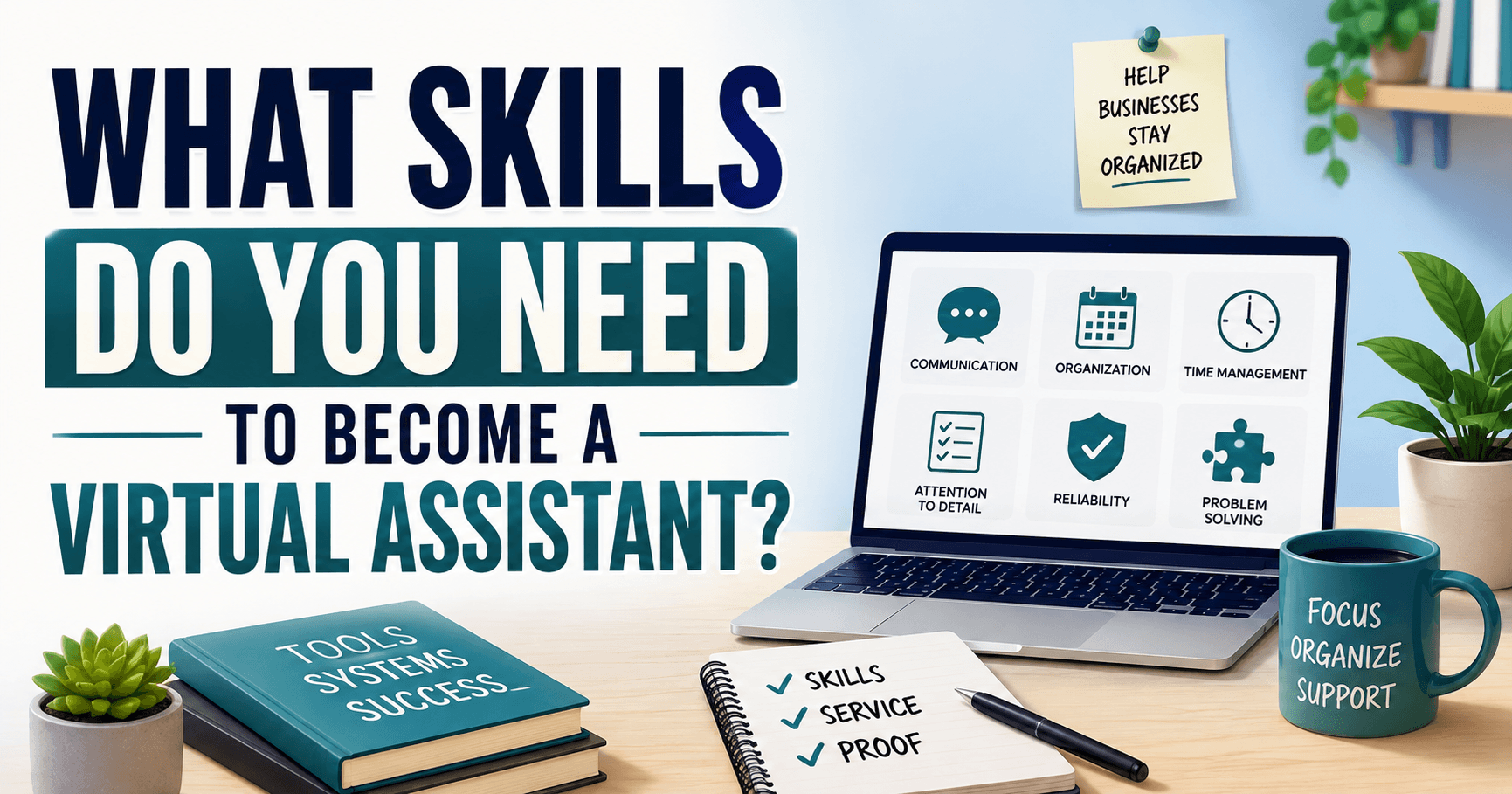
To become a virtual assistant, you need clear communication, organization, time management, attention to detail, reliability, and confidence with common remote-work tools.
You do not need to master bookkeeping, social media, customer service, executive support, and every software platform at once.
A more realistic path is to build three things:
- Core: A dependable foundation for working remotely.
- One: A specific service you can perform well.
- Proof: Work samples showing that you can complete realistic tasks accurately.
That combination matters more than collecting a long list of skills or earning a generic virtual assistant certificate.
What Counts as a Virtual Assistant Skill?
One reason this career feels confusing is that skills, software, tasks, and complete specialties are often placed into one long list.
Email management may be called a skill. So might communication, Excel, bookkeeping, Canva, calendar management, or social media. But these are not all the same type of requirement.
A clearer way to organize them is:
| Skill layer | What it includes | Who needs it? |
|---|---|---|
| Professional foundation | Communication, organization, reliability, judgment | Most virtual assistants |
| Digital foundation | Email, calendars, documents, spreadsheets, shared files | Most virtual assistants |
| Service-specific skills | Bookkeeping, research, customer support, social media | Depends on the role |
| Freelance business skills | Pricing, proposals, marketing, finding clients | Freelance VAs |

For most beginners, a practical starting point is to build the first two layers and develop at least one useful service specialty.
You only need freelance business skills if you plan to find and manage your own clients. A virtual assistant employed by one company may not need to set rates, market services, or send proposals.
Six Foundational Skills Most Virtual Assistants Need
Virtual assistant jobs vary, but a dependable professional foundation is useful across nearly every type of remote-support work. These are not separate services you sell. They are the abilities that help you perform your chosen service consistently.
1. Clear professional communication
Working remotely does not remove communication. It changes how much of it happens through email, chat, project-management software, and short calls.
You may need to:
- Ask for missing information.
- Confirm priorities and deadlines.
- Draft messages in a client’s preferred tone.
- Explain a problem without creating confusion.
- Provide progress updates.
- Recognize when you need approval instead of guessing.
You do not have to be highly talkative. You need to make your meaning clear and help the client understand what happens next.
2. Organization, prioritization, and time management
Requests may arrive through email, Slack, meetings, and a task board. Your job is partly to prevent them from becoming lost or forgotten.
That can involve:
- Maintaining an accurate task list.
- Separating urgent work from work that simply arrived first.
- Tracking follow-ups.
- Organizing files and folders.
- Estimating how long an assignment will take.
- Managing calendars and time zones.
- Warning a client when two deadlines conflict.
Calendar management can become complicated when several attendees, locations, priorities, and time zones are involved.
A capable VA considers the full situation instead of placing a meeting into the first available time slot.
3. Attention to detail and quality control
A small error can lead to a missed meeting, an incorrect customer record, a payment problem, or an email sent to the wrong person.
Before submitting work, you may need to check:
- Names and email addresses.
- Dates and time zones.
- Links and attachments.
- Spreadsheet values.
- File versions.
- Customer records.
- Document formatting.
- Information generated with AI.
Attention to detail does not mean never making a mistake. It means using a repeatable review process that catches errors before they reach the client.
4. Reliability and follow-through
Clients often hire help because they already have too much to track. They need to know whether a task was received, when it will be completed, and whether a problem requires their attention.
Reliability includes:
- Meeting agreed deadlines.
- Responding during agreed working hours.
- Providing updates without being chased.
- Completing the final follow-up.
- Escalating problems early.
- Following through when another person has not responded.
You do not need to be available every hour of the day. You do need clear expectations about when you work, how quickly you respond, and what happens when something is urgent.
5. Problem-solving and adaptability
Clients may use software or processes you have never encountered. Their instructions may also be incomplete because parts of the process feel obvious to them.
A job-ready beginner should be able to:
- Use credible documentation or tutorials.
- Learn the basic structure of an unfamiliar tool.
- Identify missing information.
- Compare reasonable options.
- Suggest a next step.
- Know when a decision belongs to the client.
The goal is not to solve every problem alone. It is to make reasonable progress without needing instructions for every click.
6. Discretion and responsible information handling
A VA may receive access to inboxes, customer data, internal documents, payment records, passwords, or private schedules.
That means you need to:
- Keep information private.
- Use access only for the agreed work.
- Follow the client’s security process.
- Avoid entering confidential information into unapproved AI tools.
- Confirm before changing sensitive records or permissions.
- Remove private information from portfolio examples.
The more access a role provides, the more important judgment becomes.

Digital Tools a Beginner Should Be Comfortable Using
You do not need experience with every platform a client might use. You should understand the basic purpose of the main tool categories and be able to transfer what you know when a client uses a different system.
Email and calendars
You should be able to:
- Search and organize an inbox.
- Draft a clear reply.
- Create folders, labels, or rules.
- Schedule and update meetings.
- Add attendees and meeting links.
- Identify calendar conflicts.
- Check time zones before confirming an event.
Documents and spreadsheets
You should be able to:
- Create and format a professional document.
- Edit a shared file.
- Use comments or tracked changes.
- Enter data consistently.
- Sort and filter a spreadsheet.
- Use basic formulas.
- Remove duplicates.
- Share or export the correct version.
File sharing and remote collaboration
You should understand how to:
- Create a sensible folder structure.
- Name files consistently.
- Share the correct document.
- Apply basic access permissions.
- Avoid creating unnecessary copies.
- Find the latest version.
Communication and project-management tools
Clients may use Slack, Microsoft Teams, Trello, Asana, ClickUp, Monday.com, or another platform.
Most of these tools use similar building blocks:
- Tasks.
- Owners.
- Due dates.
- Statuses.
- Comments.
- Attachments.
- Notifications.
Knowing one platform well can make it easier to learn another.
AI tools
AI may help with drafts, summaries, formulas, research planning, and routine documentation. It does not remove your responsibility to check the result.
A VA using AI should know how to:
- Verify facts and calculations.
- Edit the output for context and tone.
- Avoid entering confidential information without approval.
- Recognize when human judgment is required.
- Follow the client’s AI-use policy.
What current administrative software data show
O*NET publishes employer-posting data for U.S. executive secretaries and executive administrative assistants, an occupation related to—but not identical to—the full virtual assistant market.
In 2025, Microsoft Office appeared in 45% of those postings, Excel in 38%, PowerPoint in 36%, Outlook in 31%, and Google Workspace in 11%. Word, Zoom, SAP Concur, and SharePoint also appeared.
This does not mean every VA must learn every program. It shows why basic productivity-software competence remains useful, particularly for administrative and executive-support work.
Not Sure Which Career Fits You?
Answer 7 questions to narrow your options based on your work style, preferred environment, and daily work preferences.
What 20 Current Virtual Assistant Listings Asked For
Generic skills lists tell you that communication and organization matter. Current job listings show how those skills are combined into actual work.
For this guide, 20 current Upwork virtual assistant listings surfaced through a broad search were reviewed on August 3, 2026. The listings covered administrative support, customer service, recruitment, operations, outreach, CRM work, data entry, executive support, job research, property administration, and technical assistance.
This was a convenience sample, not a representative study of the entire virtual assistant market. It is also weighted toward freelance marketplace work rather than salaried employment.
19 of 20 listings described a defined function or task set
Only one listing did not provide enough indexed information to identify a clear work focus.
The other 19 connected virtual assistance to specific work such as:
- Email and calendar management.
- Recruitment and application support.
- Hotel reservations and front-desk assistance.
- CRM updates and lead follow-up.
- Customer service and community management.
- Operations and workflow coordination.
- Social-media outreach.
- Property administration.
- Job research.
- Data entry and spreadsheet management.
- Software installation and testing.
The practical lesson is not that every VA must specialize narrowly. In this sample, clients usually connected virtual-assistant work to an identifiable task or business problem rather than hiring someone based on the title alone.
17 of 20 listings specified a schedule or time commitment
The arrangements included:
- Weekend support.
- Eight-hour workdays.
- Two to three hours per weekday.
- More than 30 hours per week.
- Short one-hour projects.
- Part-time flexible work.
- Six-month or longer commitments.
A remote listing may still require fixed coverage, daily availability, weekend work, or a long-term commitment.
Before applying, check:
- Required days and hours.
- The client’s time zone.
- Expected response time.
- Whether the work is ongoing or project-based.
- Whether “flexible” refers to the schedule or only the location.
Eight listings named a specific branded platform or system
Tools mentioned in the sample included:
- ClickUp.
- Google Workspace.
- Google Drive.
- Kajabi.
- Canva.
- CRM platforms.
- KVCORE.
- BoldTrail.
- AI tools such as ChatGPT, Claude, and Gemini.
Other listings described spreadsheets, email systems, property-management software, or testing tools without naming a specific brand.
You do not need to learn every platform. Look at listings for the service you want to provide and identify which tools appear repeatedly in that type of work.
Experience requirements varied
Among the 20 listings:
- Four were labeled entry level.
- Six were labeled intermediate.
- Two were labeled expert.
- Eight used another description or did not display a standard experience label.
Some beginner opportunities involved email organization, data entry, customer support, or job applications. Other listings requested prior administrative, executive, industry, CRM, or customer-facing experience.
This is why a generic course certificate may not be enough on its own. A beginner also needs to connect transferable experience or relevant work samples to the client’s actual task.
What this means for you
Do not ask:
How can I learn every possible virtual assistant skill?
Ask:
- Which service can I realistically perform?
- What tools appear in that type of listing?
- What schedule and communication does the work require?
- What sample could prove that I can perform the task?
That is the difference between collecting skills and preparing for a specific type of virtual assistant work.

Choose One Virtual Assistant Service Path
You do not need to offer every service below. Compare the work, communication, pressure, and sample task to identify the path closest to your abilities and preferred work environment.
Administrative or executive support
Typical work: Email, calendars, documents, travel, and meeting preparation.
Communication: Frequent client messages, with possible calls and meetings.
Main pressure: Changing priorities and response expectations.
Beginner proof: Resolve a fictional calendar conflict and write the confirmation email.
The work may also involve organizing files, recording meeting notes, preparing reports, following up with contacts, or handling sensitive information.
The U.S. Bureau of Labor Statistics describes related administrative work as arranging files, preparing documents, scheduling appointments, maintaining databases, and supporting other staff. It also notes that some administrative assistants work from home as virtual assistants.
Executive support can involve more complex responsibilities than routine administrative work. You may need to conduct research, anticipate needs, manage competing priorities, prepare information for decisions, or handle confidential material.
Consider this path if: You enjoy creating order, coordinating people, and supporting another person’s priorities.
Reconsider it if: You want completely uninterrupted work or strongly dislike frequent changes and requests.
Research and CRM support
Typical work: Web research, lead verification, spreadsheets, and CRM updates.
Communication: Mostly written updates and clarification questions.
Main pressure: Repetitive work, incomplete information, and accuracy requirements.
Beginner proof: Build a sourced lead spreadsheet and explain how you checked the information.
The work may involve:
- Finding companies or contacts.
- Verifying email addresses.
- Cleaning spreadsheets.
- Removing duplicate records.
- Updating lead statuses.
- Summarizing research.
- Tracking follow-up dates.
This path may involve fewer calls than customer or executive support. However, it often requires sustained attention and careful data verification.
Consider this path if: You like structured research, spreadsheets, and checking details.
Reconsider it if: Repetitive work causes you to rush or lose focus.
Operations or project coordination
Typical work: Task tracking, documentation, supplier follow-up, and deadline management.
Communication: Regular internal follow-up across several people.
Main pressure: Competing deadlines and work that becomes blocked when someone does not respond.
Beginner proof: Create a project board and a concise weekly status report.
You may:
- Update a task board.
- Follow up with team members.
- Track orders or shipments.
- Organize documentation.
- Verify quantities or deadlines.
- Identify blocked work.
- Prepare status updates.
- Alert the client when a decision is needed.
Consider this path if: You enjoy ownership, follow-up, and seeing work move from request to completion.
Reconsider it if: Managing several moving parts or repeatedly reminding other people frustrates you.
Customer support
Typical work: Email, live chat, tickets, phone calls, and escalations.
Communication: Frequent direct contact with customers.
Main pressure: Response expectations, unresolved problems, and frustrated customers.
Beginner proof: Write three realistic customer-support responses.
Remote customer service is still people-facing. Some positions require fast replies, fixed availability, or several conversations at once.
Consider this path if: You enjoy solving direct problems and can remain calm when another person is frustrated.
Reconsider it if: Constant incoming requests or emotionally charged conversations quickly drain you.
Social media or content support
Typical work: Captions, scheduling, comments, messages, graphics, and performance tracking.
Communication: Client feedback plus public or community interaction.
Main pressure: Deadlines, revisions, and ongoing responsiveness.
Beginner proof: Create a one-week content calendar with sample replies.
Some of the work may be independent. Other parts involve revisions, public communication, and monitoring what is happening on the platform.
Consider this path if: You enjoy writing, visual organization, content systems, and audience communication.
Reconsider it if: Frequent feedback, public responses, or short deadlines feel exhausting.
Bookkeeping or ecommerce support
Typical work: Invoices, expenses, transaction records, orders, and product information.
Communication: Regular client, customer, or supplier follow-up, depending on the role.
Main pressure: Errors that may affect money, inventory, or customers.
Beginner proof: Create an invoice tracker or practice transaction sheet.
Bookkeeping is not a universal VA skill. It is a specialized service where mistakes can affect payments, records, and business decisions.
Consider this path if: You enjoy numbers, systems, and accuracy-driven work.
Reconsider it if: Financial responsibility creates excessive stress or you dislike reviewing work carefully.
These service descriptions are common patterns, not fixed rules. One administrative client may provide long periods of focused work. Another may send messages throughout the day and frequently change priorities.
How Skilled Do You Need to Be Before Applying?
Knowing what a tool does is not the same as being ready to use it for a client.
Use this progression:
- Recognition: You know what the tool or task is.
- Guided practice: You can complete it while following a tutorial.
- Independent execution: You can complete a normal task without step-by-step help.
- Quality control: You can check the result and correct common mistakes.
- Process ownership: You can document or improve how the task gets completed.
For this article’s practical readiness framework, aim for level three with basic level-four ability:
You can complete a normal task independently, check your work, explain what you did, and recognize when you need clarification.
This is not a formal hiring or certification standard. It is a practical way to decide whether you are ready to create work samples and compare your abilities with real listings.
You do not need to know every possible exception. You should not need the client to supervise every step.
Can You Become a Virtual Assistant With No Experience?
You can apply for beginner VA work without previously holding the title “virtual assistant.” That is different from having no relevant experience.
Transferable experience may come from:
- Administrative work.
- Reception.
- Retail or hospitality.
- Customer service.
- Sales support.
- Project coordination.
- School or volunteer projects.
- Writing and research.
- Managing schedules or records.
For example:
- A receptionist may already understand calls, calendars, records, and professional communication.
- A retail employee may have customer-service, prioritization, and accuracy skills.
- A project coordinator may understand deadlines, ownership, and follow-ups.
- A student may have spreadsheet, research, writing, and presentation experience.
BLS says high-school graduates who are comfortable with word-processing and spreadsheet programs usually qualify for entry-level secretary and administrative-assistant positions. It also notes that executive roles typically require related experience, while legal and medical administrative work may require additional training.
That evidence applies most directly to general administrative work. It does not mean every specialized virtual assistant role is open to someone with no experience.
The useful question is not only:
Have I already worked as a virtual assistant?
It is:
Can I connect something I have already done to the exact task this client needs?
You can also compare other realistic entry-level jobs for introverts if VA listings consistently require experience you do not yet have.
How to Prove Your Skills Without a Previous Client
A certificate shows that you completed training. A focused work sample shows what you can produce.
Choose one or two samples that match the service path you want.
Administrative-support sample
Create a fictional situation involving:
- Several attendees.
- Two time zones.
- A calendar conflict.
- Required preparation time.
- A video-meeting link.
Show the final schedule and write the confirmation email.
Research or CRM sample
Create a sourced spreadsheet containing:
- Company names.
- Relevant contacts or departments.
- Websites.
- Sources.
- Notes.
- Verification dates.
Then remove duplicates, standardize the formatting, and explain how you checked the information.
Operations sample
Create a simple project board containing:
- Tasks.
- Owners.
- Due dates.
- Statuses.
- Delays.
- Next actions.
Add a short weekly update explaining what is complete, what is blocked, and what needs the client’s decision.
Customer-support or social-media sample
Choose one:
- Write three customer-support responses.
- Create a one-week content calendar.
- Draft professional replies to comments or direct messages.
- Create a simple escalation process.
Every portfolio sample should include:
- The fictional client problem.
- The completed output.
- A short description of your process.
- The checks you performed.
- Confirmation that the information is fictional or publicly available.
For a beginner, prioritize two work samples closely related to the service you want to offer. A smaller, focused portfolio makes it easier for a client to understand what you can do than a collection of unrelated exercises.
Do You Need a Degree or Virtual Assistant Certificate?
Many general administrative-support roles do not specify a particular college degree. Specialized work may have different expectations.
For example:
- Executive support may require several years of related experience.
- Legal or medical support may require knowledge of industry terminology.
- Bookkeeping roles may require accounting-software experience.
- Technical or ecommerce roles may require platform-specific skills.
- Freelance clients may care more about relevant results and samples than formal education.
BLS reports that a bachelor’s degree typically is not required for secretary and administrative-assistant occupations. Employers may still prefer college experience for some executive positions, and legal or medical work can require additional industry-specific training.
A course can be useful when it closes a specific gap. It is less useful when you take it because you feel that you need a generic VA certificate before you can begin.
Before paying for training, ask:
- Which service do I plan to provide?
- What task can I not currently complete?
- Does the course teach that task?
- Does it include meaningful practice?
- Can I turn the work into a portfolio sample?
- Are clients asking for the credential or for the underlying ability?
You can also review other jobs for introverts without a degree if formal education is one of your main career constraints.
Need to Build Your Microsoft Office Skills?
Affiliate disclosure: This section contains an affiliate recommendation. Job For Introverts may earn a commission if you enroll through the link, at no extra cost to you.
If Word, Excel, and PowerPoint are the main weaknesses in your skill set, structured training may be more efficient than trying to learn each program through disconnected tutorials.
Microsoft 365 Fundamentals Specialization on Coursera
Coursera’s Microsoft 365 Fundamentals Specialization is a beginner-level, three-course program taught by Microsoft. It covers Word, Excel, and PowerPoint, including professional documents, spreadsheet formulas, data organization, presentations, and collaboration tools. Coursera currently estimates about two months to complete the program at ten hours per week, although its FAQ also notes that completion time can vary.
Best for:
- Beginners who have rarely used Microsoft Office professionally.
- People who need guided practice with documents and spreadsheets.
- Career changers who want tangible software projects.
- Readers who learn better through an organized course sequence.
Probably unnecessary if:
- You already create polished Word documents.
- You can sort, filter, format, and use basic Excel formulas.
- You can prepare a clear PowerPoint presentation.
- You already use Microsoft 365 confidently at work.
How to turn the training into VA work samples
- Word: Create a client procedure, meeting brief, or professional correspondence template.
- Excel: Build a lead tracker, expense organizer, task tracker, or simple report.
- PowerPoint: Create a client-onboarding deck or short meeting presentation.
What the course does not teach
This is not presented as a complete virtual assistant training program. Its published curriculum does not include dedicated training in:
- Inbox or calendar management.
- CRM administration.
- Customer service.
- Bookkeeping.
- Client acquisition.
- Freelance pricing.
- How to find and win VA work.
Completing the specialization can strengthen a specific software foundation. You will still need a focused service path and evidence that you can apply the skills.
Explore the Microsoft 365 Fundamentals Specialization here
Does Virtual Assistant Work Fit Your Work Style?
Virtual assistant work can suit some introverts, but remote work does not automatically mean quiet, independent, or low-interaction work.
A research-focused VA may spend long periods working in spreadsheets. An executive VA may receive messages and changing requests throughout the day. A customer-support VA may communicate with people almost continuously.
The client and working agreement may matter as much as the service itself.
Virtual assistant work may fit you if:
- You enjoy making systems run smoothly.
- You communicate clearly in writing.
- You can work independently without disappearing.
- You notice small errors.
- You like learning software and processes.
- You do not mind supporting another person’s priorities.
- You can ask questions without needing constant reassurance.
It may become draining if:
- You want remote work with almost no communication.
- Rapidly changing requests frustrate you.
- You strongly dislike service-oriented work.
- You need a highly predictable schedule.
- You struggle to set boundaries around availability.
- You dislike switching between unrelated tasks.
- You find frequent notifications difficult to ignore.
Before accepting a role, ask:
- How often will we meet?
- Does the work include phone calls?
- What response time is expected?
- Are the hours fixed or flexible?
- Which time zone must I follow?
- How are urgent requests communicated?
- Will I support one person or several?
- How are priorities decided when everything feels urgent?
Those answers tell you more about the daily experience than the title “virtual assistant.”
Use the Core + One + Proof Readiness Check
You are ready to move forward when you have all three parts.

Core
You can:
- Communicate professionally.
- Organize tasks and deadlines.
- Use the basic tools required by the role.
- Check your work.
- Handle client information responsibly.
One
You can independently complete the main task from one service path.
Examples include:
- Resolving a calendar conflict.
- Building a verified lead spreadsheet.
- Updating a project board.
- Responding to a customer problem.
- Preparing a content calendar.
- Organizing an invoice tracker.
Proof
You have at least two relevant samples showing:
- The problem.
- Your completed work.
- Your process.
- Your quality-control steps.
Use your result
Missing Core: Strengthen your remote-work fundamentals.
Missing One: Choose a service path instead of learning random skills.
Missing Proof: Stop collecting information and create work samples.
Have all three: Begin comparing your skills with real beginner listings.
This is a practical readiness framework, not a formal hiring assessment. Its purpose is to show you the most useful next step.

What to Do Next
Choose one virtual assistant service path and complete one realistic practice assignment this week.
Then review several current listings for that type of work. Compare:
- The actual tasks.
- Required software.
- Phone, chat, or meeting expectations.
- Working hours and time zone.
- Employee versus contractor status.
- Required experience.
- Whether the client requests work samples or a test.
Your next step depends on what you find.
Office software is still a major gap: Review the Microsoft 365 course above and decide whether its Word, Excel, and PowerPoint training matches the listings you want to pursue.
You can already perform the work and show proof: Compare reputable remote-job platforms and focus on roles closely matched to your service instead of applying to every listing containing “virtual assistant.”
Before applying, use the remote-job scam guide to evaluate the employer, payment arrangement, hiring process, and communication method.
The goal is not to become qualified for every virtual assistant job. It is to become a credible candidate for one specific type of support work that also fits the way you prefer to work.
If you’re still comparing virtual assistant work with other jobs for introverts, explore our guide to see how this career compares with other low-stress and low-interaction options.
Not Sure Which Career Fits You?
Answer 7 questions to narrow your options based on your work style, preferred environment, and daily work preferences.

His work has reached millions through platforms like The Good Men Project, Fatherly, and Quora, where he shares practical advice for introverts and people with anxiety.
He writes about jobs for introverts, low-stress careers, and how to build a work life that fits your personality.
- What Skills Do You Need to Become a Virtual Assistant? – August 4, 2026
- The Reality of Working From Home: What It’s Really Like – August 2, 2026
- How Do I Know What Career Is Right for Me? 5 Steps – July 31, 2026